 Raikiri Viewer
Every story,
beautifully read.
A fast, light comic and ebook viewer for Mac, iPhone and iPad.
Free for one month. Requires macOS 14 or iOS 17.
Get the free Android beta →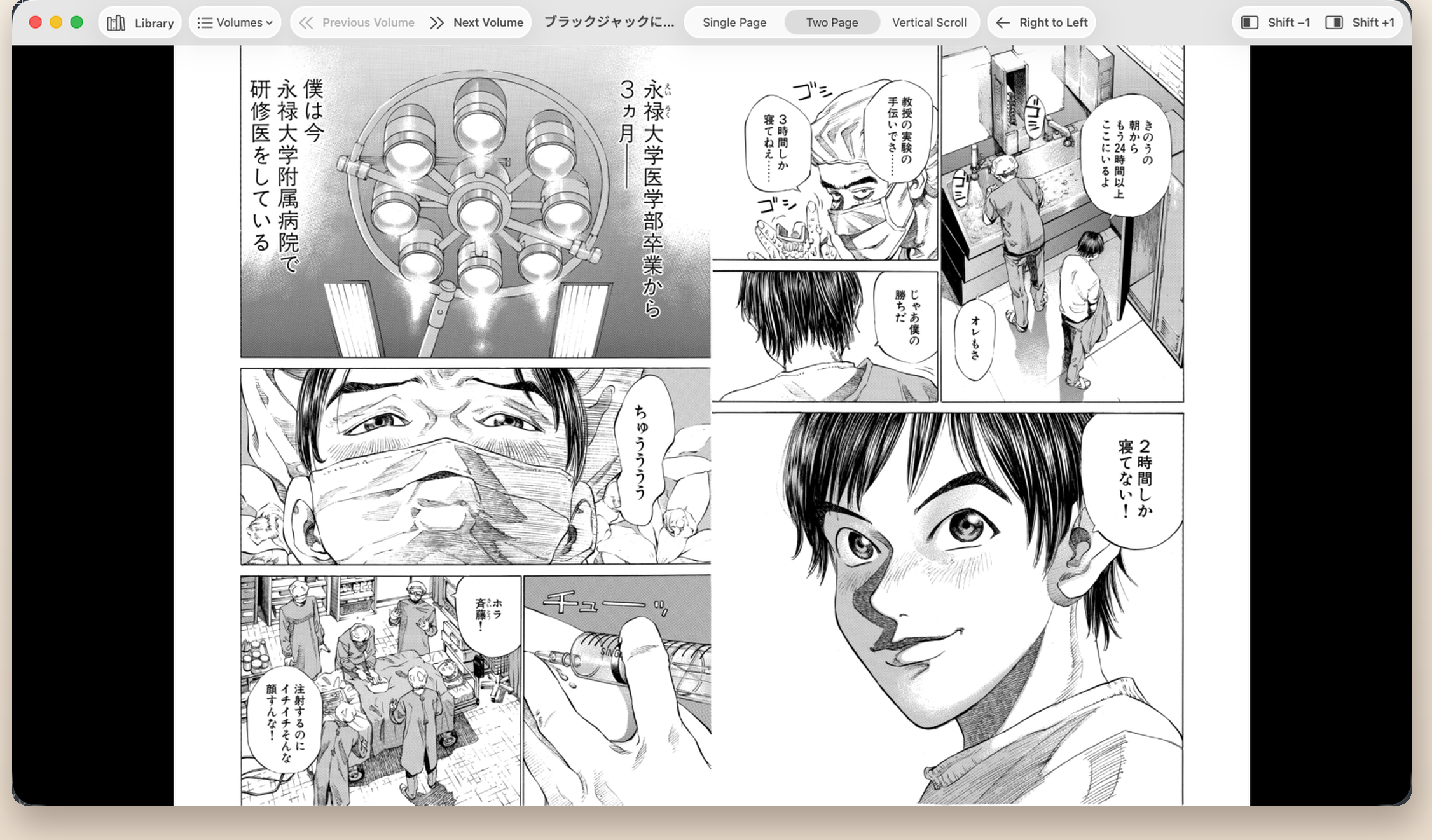




Nothing between you and the page.

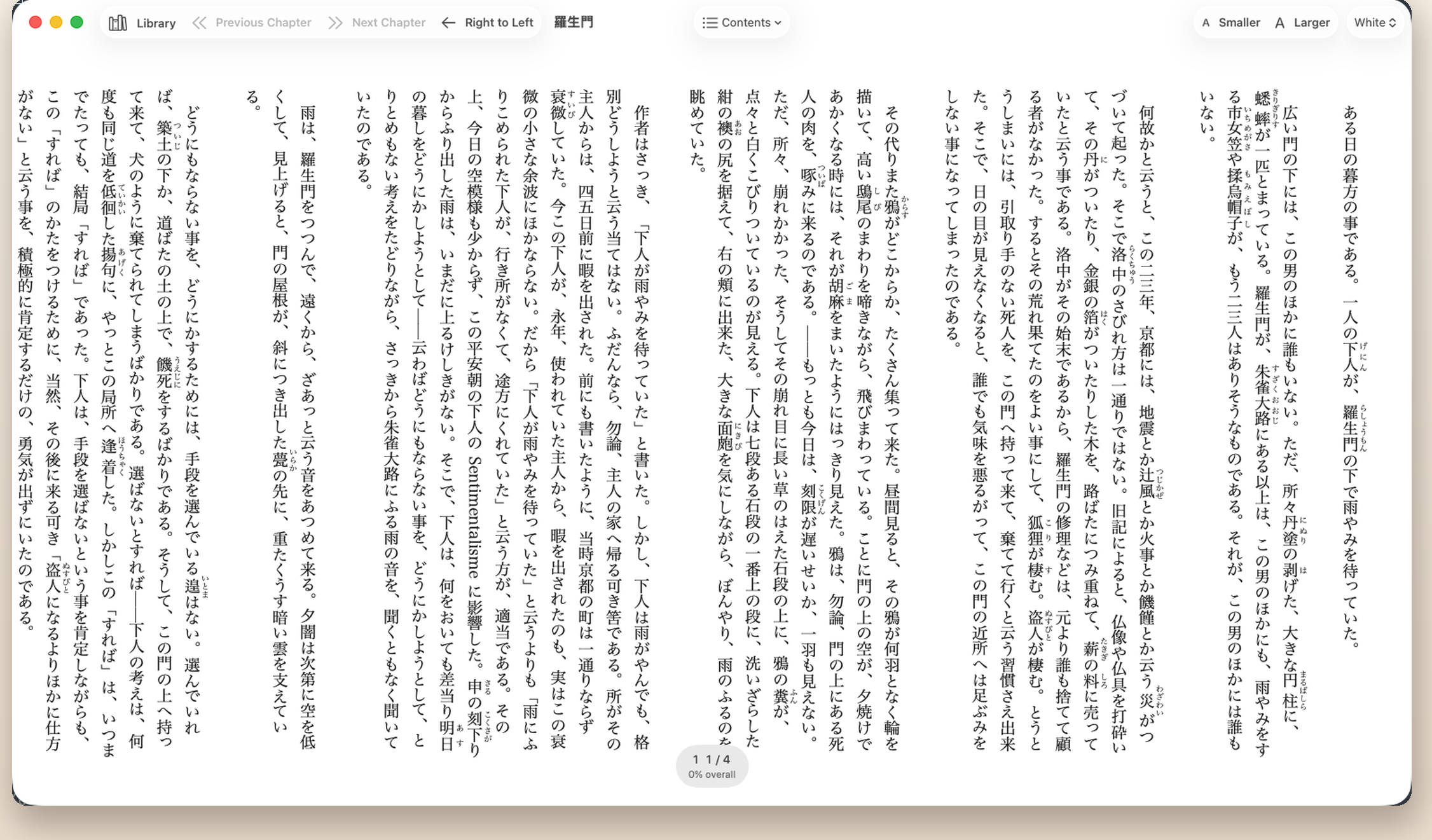
Vertical text, as written
Japanese vertical text turns right to left, the way the book does. Aozora Bunko text and vertical EPUB both read the right way round.
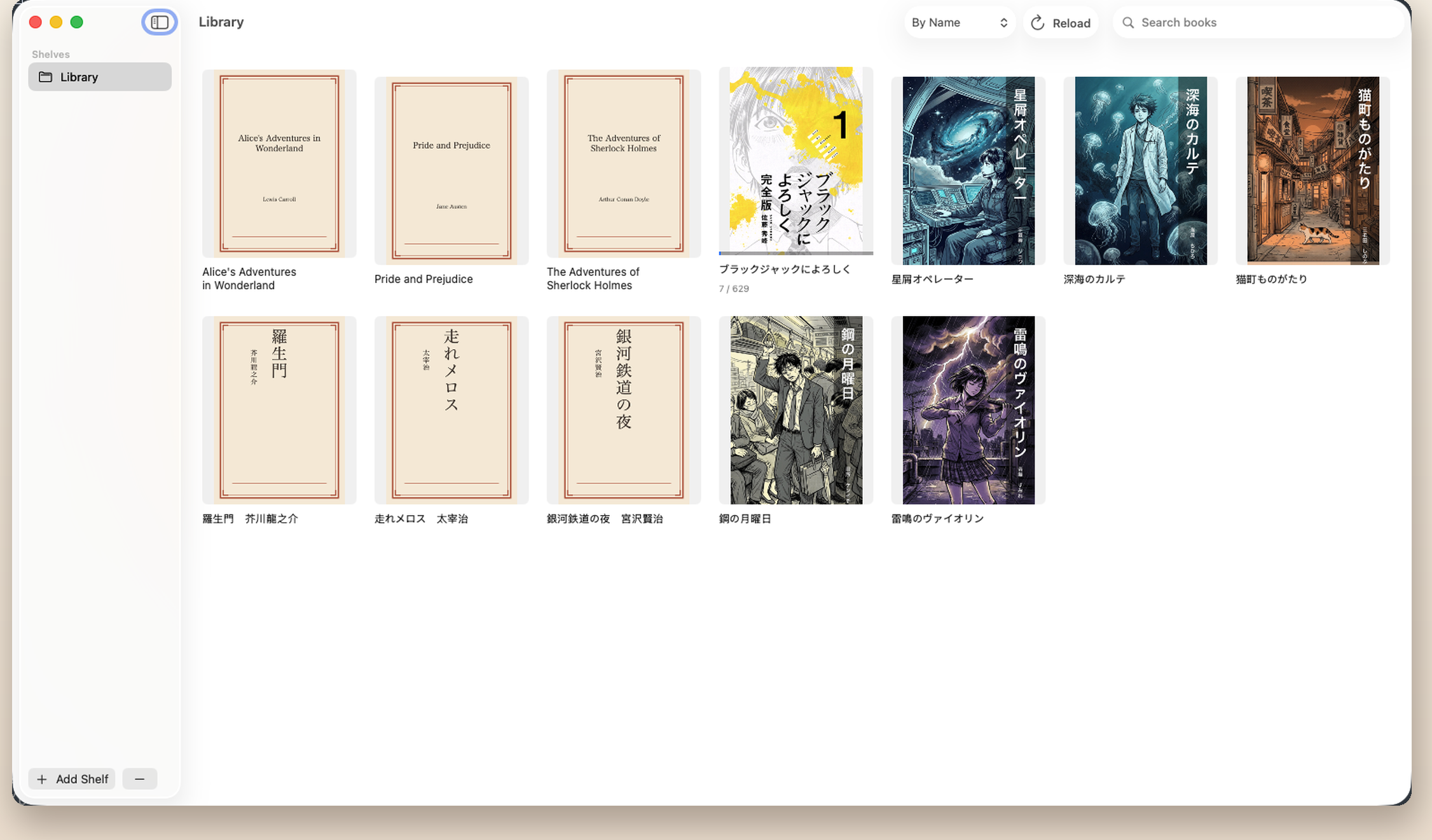
Series stay together
Multi-volume works are grouped, so volume 3 follows volume 2. Books without cover art get one generated for them.
Your Mac library, in hand
Pair once with the Mac app and open anything on that Mac from your iPhone or iPad. To pair, just pick the Mac on your iPhone and the code pops up on the Mac’s screen, with no need to open Settings. Pages are prepared on the Mac, so your device never has to unpack the archive. Save a book to the device to take it with you, and your place travels between the two.
Pinch in on a panel
Small hand-lettering becomes readable when you spread two fingers. Stay zoomed in and move around the page, so nothing interrupts the panel you are following. On the Mac, pinch on the trackpad does the same.
Webtoons scroll unbroken
Tall strips are detected on their own and switch to continuous scroll. Nothing to configure.
200 pages open instantly
Large archives never keep you waiting. Only what is needed to open gets read, so moving between volumes stays fast.
Five languages included
Japanese, English, Spanish, Korean and Simplified Chinese. On Mac, choose the display language in Settings, separately from the Mac’s own language. Drop in your own translation file and the whole app follows it.
Keep reading when the NAS drops
Books on a network share are copied to your Mac while you read. Once copied, they stay readable even if the connection goes.

Try it for a month, then decide.
Every feature is available for one month from first launch. After that, a subscription keeps it going.
If you cancel, reading stops when the period you have paid for ends.
The Android app is free while it is in beta. The full release is planned for Google Play, at the same price as on Mac, iPhone and iPad, with the first month free.The free Android beta →
ANDROID BETA
The free Android beta
Runs on Android 10 or later, on tablets and phones. Free while it is in beta.
1.0.0-beta.1 · 3.6 MB · Android 10 or later
Opens
- ZIP / CBZ
- TAR / CBT
- Folders of images
- Single images (PNG, JPEG and more)
What it does
- Pick a folder on your device and add it to the library as a shelf
- Read as single pages, two-page spreads, split pages or a vertical scroll, and zoom in
- Choose right-to-left or left-to-right binding; your place is kept for each book
- Open books straight from Open with and Share in other apps
- Books in cloud storage are copied to the device, then opened
- The interface comes in five languages: Japanese, English, Spanish, Korean and Simplified Chinese
Not yet
- Opening RAR / CBR, 7z, PDF or EPUB
- Working with the Mac app (pairing, the Mac library, syncing your place)
- Browsing Google Drive from inside the app
How to install
- On your Android device, open this page in the browser and tap Download the APK.
- Open the downloaded file. If you are asked about installing unknown apps, allow that browser to install them.
- Tap Install.
Because it is installed from outside Google Play, it does not update itself. When a new version comes out, install it again from this page. Your library and reading positions stay as they are.
SHA-256 of the downloaded file:
3563442a98545e76fc3016cf10211950b575d7f38d55ccec82ef23ff273d56b0It asks for no permissions. It does not even hold the internet permission, so Raikiri itself never connects to the network.Privacy Policy
MORE FROM WATRIX
We build other things, too.
Small macOS tools from the same team.

Hibari
One tap of Command changes your words.
Switch Japanese input with a single Command key, even on a US layout.

Tsubame
A terminal where you can see your teammates.
A terminal emulator with a 3D office that keeps the team close.

OctSnap
One key, and your screen is tidy.
A menu bar utility that snaps windows into split and grid layouts.

MeetBanner
Turn your meeting screen into ad space.
A virtual camera that overlays QR ad cards and banners on your video.